Contexta
The add-on module that brings into TAGMA the knowledge of what load units contain.
TAGMA knows where things are. Contexta knows what they are.
A WMS thinks in load units: a box, a pallet, a container. It knows where it is, when it arrived, who moved it and where it has to go. For many warehouses that is enough.
In other contexts, however, the value is not in the box but in what it contains: the medical records of an archive, a product built to specification, a file holding documents of different types. This is rich information, often different from one case to the next, that a traditional WMS is not designed to manage.
Contexta was created for this. TAGMA keeps doing its job on load units, while Contexta holds the information about their contents: descriptive data, specific attributes, documents and attachments. The two worlds stay separate but connected, and each does its own part well.
TAGMA manages the container
- Where each load unit is
- Receipts, movements, picks and shipments
- Stock, locations and operators
- Labels, delivery notes and deliveries
Contexta manages the content
- What is inside each load unit, item by item
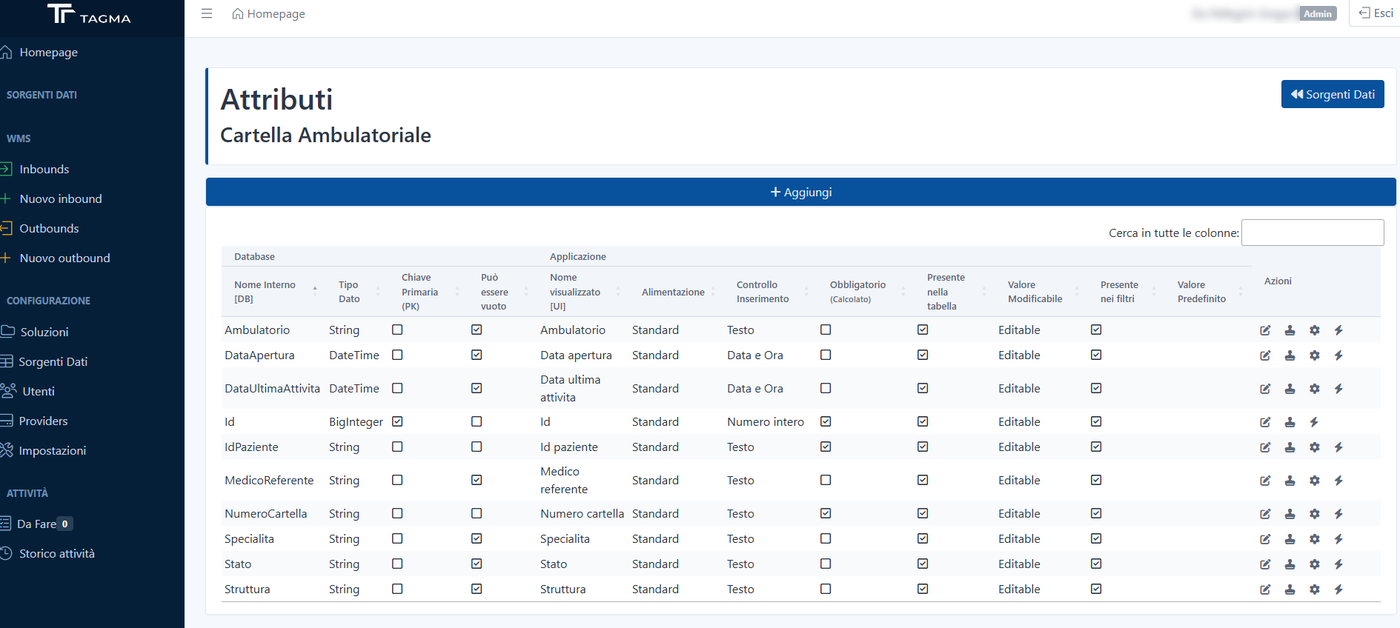
- Data and attributes specific to each type of content
- Digital documents and attachments
- Who can see and change each piece of information, with review and approval
An example: a medical records archive
A healthcare organisation entrusts its archive to a warehouse. For TAGMA each box is a load unit: it is received, labelled, stored in the right location and, when needed, picked and delivered.
In Contexta the same box has precise contents: the records it holds, with the data needed to identify them and any digitised documents. When a request comes in, the record is searched in Contexta, traced back to its box, and TAGMA immediately knows where to fetch it.
The warehouse stays simple to run, the information stays complete, and the physical and digital archives talk to each other.
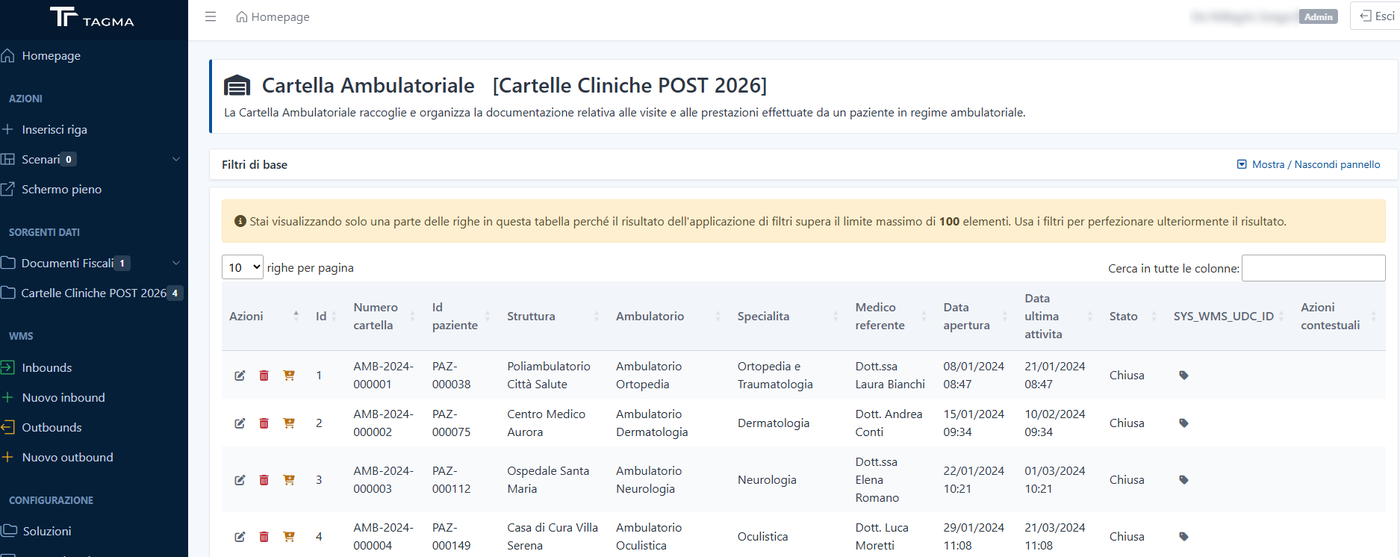
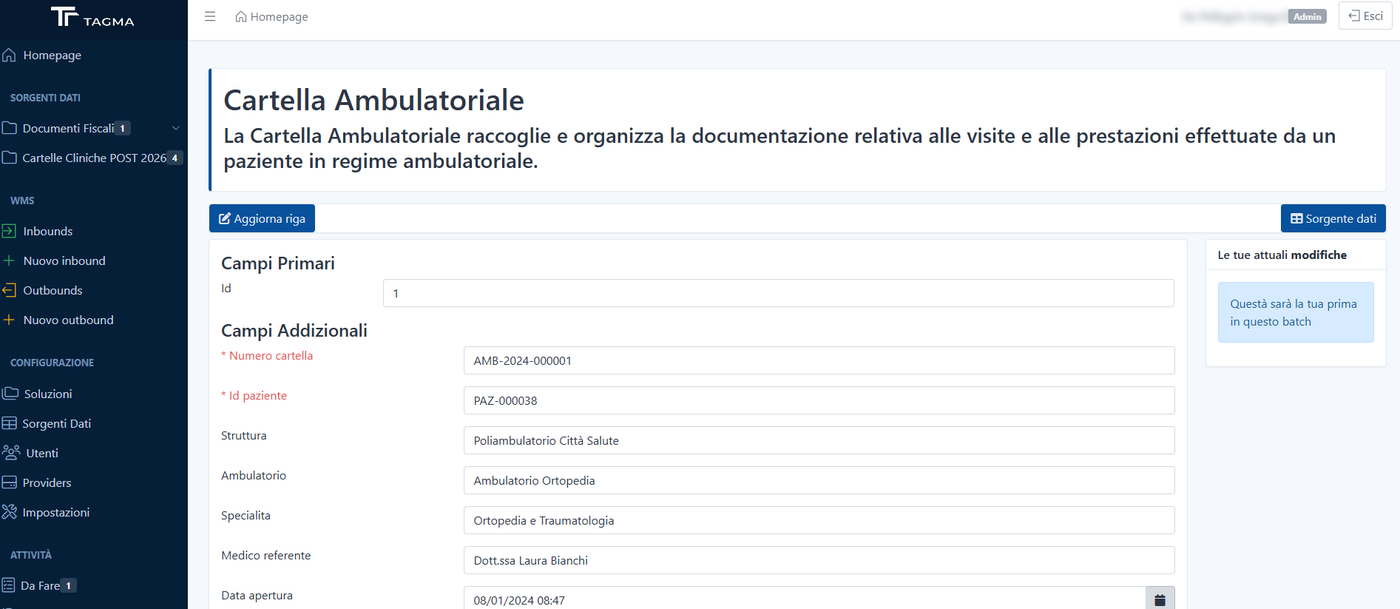
Built into TAGMA’s inbound and outbound flows
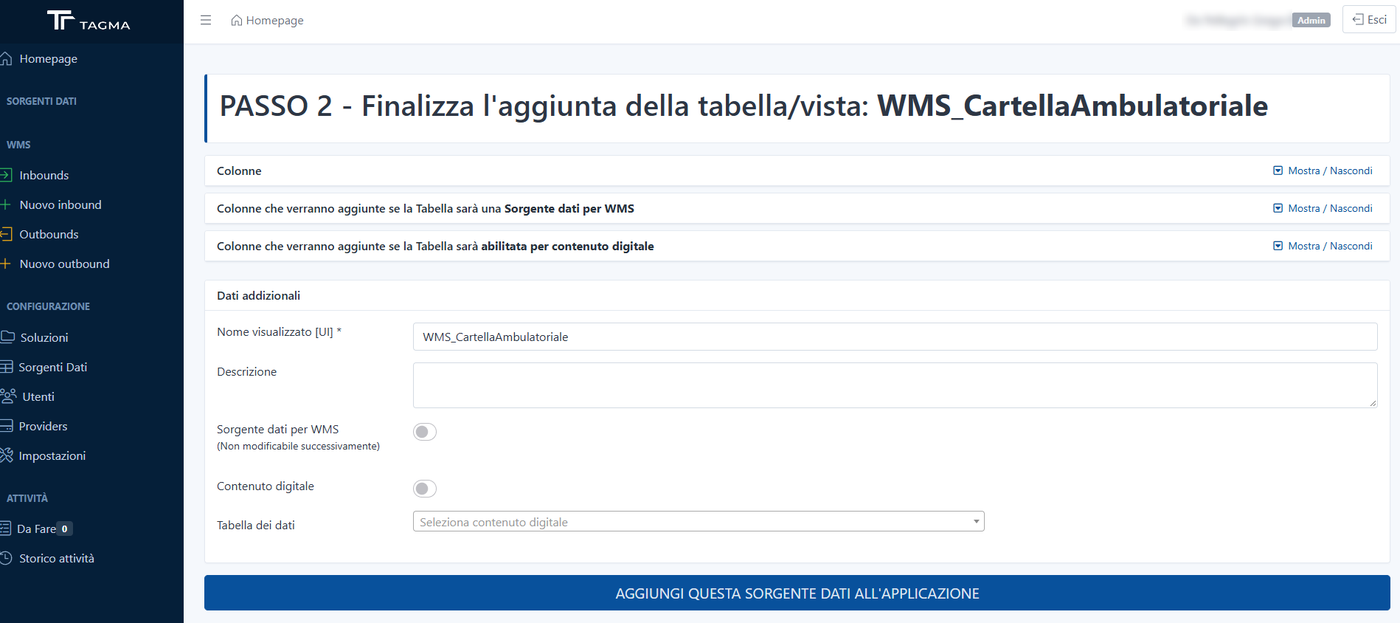
Contexta is not a separate archive: it works inside the warehouse flows. A table can become a data source for the WMS, and from then on every row is linked to the handling unit that holds it.
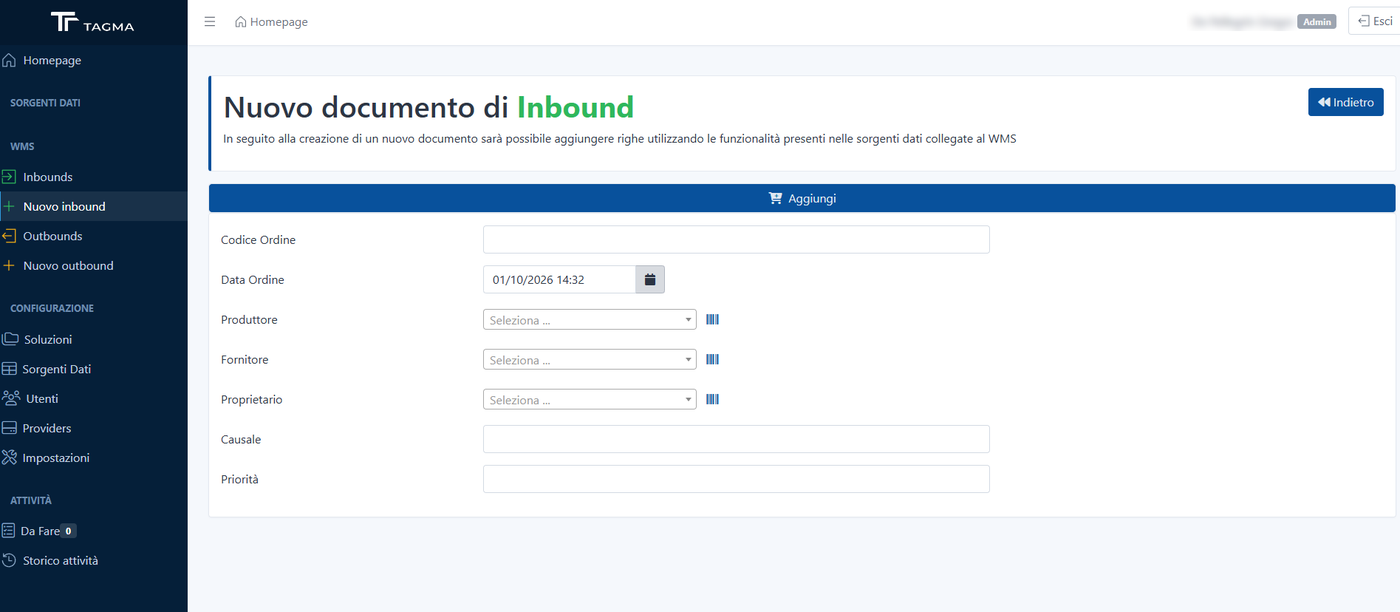
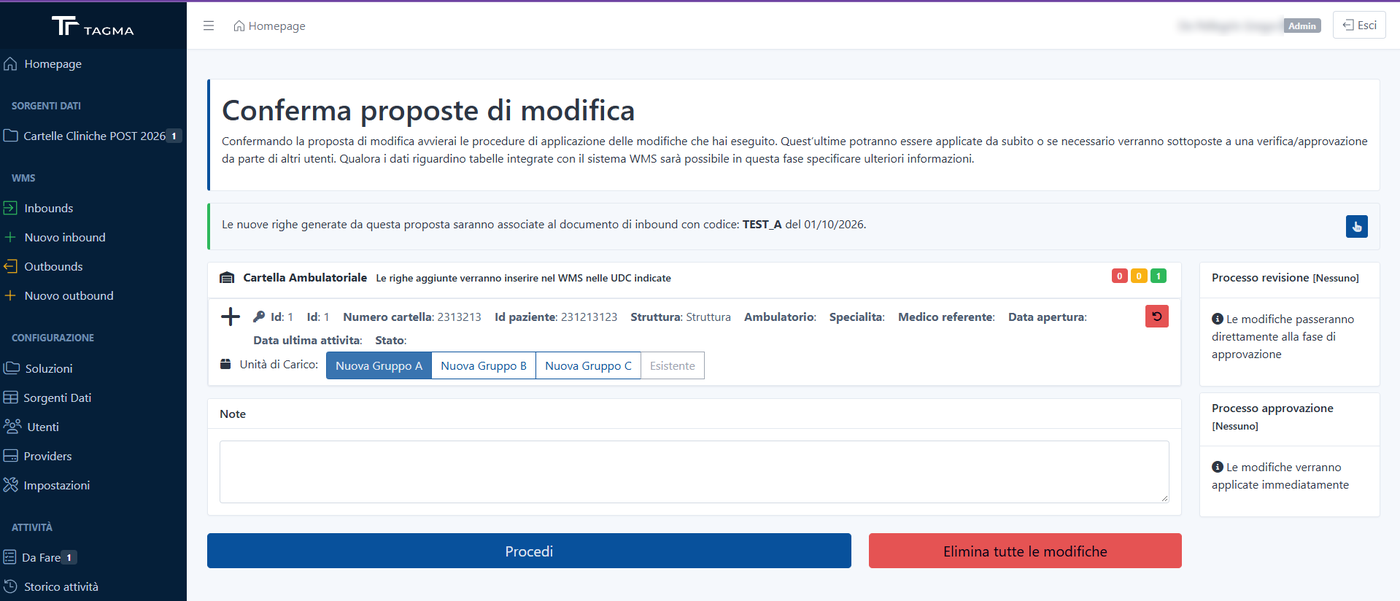
- Inbound: the inbound document is opened in TAGMA, the incoming records are entered in Contexta and, on confirmation, each row is linked to the document and assigned to a handling unit, new or existing.
- Outbound: the requested records are picked from the table and added to the outbound document; TAGMA knows which boxes to pick and where they are.
- Under control: changes that affect the warehouse can also go through review and approval before being applied.
When it makes the difference
Healthcare archives and medical records
Every box is linked to the cases and documents it holds, so they can be found in a few steps.
Configured or unique products
When every item is different, its characteristics travel with the load unit that contains it.
Documents of different types
Contracts, case files, certificates: each type has its own fields, rules and attachments.
What changes
Separate data, each in its place
Logistics stays clean and lean; content information grows without weighing down TAGMA.
Digitised information
What used to be on paper or in scattered spreadsheets becomes structured, searchable and controlled data.
Physical and digital together
A single solution to keep both physical items and the digital information and documents that describe them.
What it lets you do
Configurable tables and fields
Text, numbers, dates, lists, links to other tables, default values and field dependencies, defined from the interface.
Solutions and views
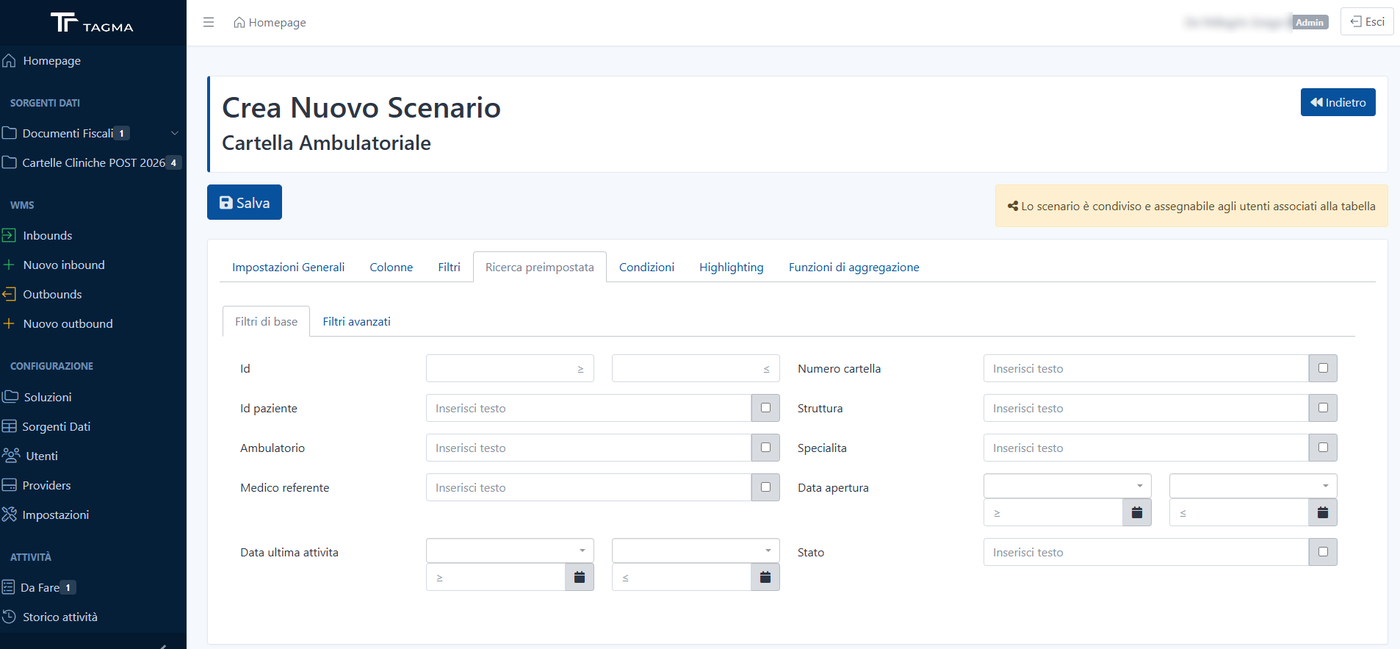
Tables are grouped by area into solutions, with views and filters for each group of users.
Data entry and import
Entry forms, a full-screen grid and Excel import with a report of rejected rows.
Review and approval
Changes are collected in batches that go through review and approval before being applied, with each user’s history.
Protected attachments
Files stored securely, optionally encrypted.
Permissions
Access by solution, table and view: everyone sees and edits only what concerns them.
Want to see it in action?
We will arrange a demo based on your processes and look together at how to integrate it with the systems you already use.